


Pinkfong Tracing World : ABC
3.9134.00 Reviews
App Specs
- Version
- 33.24
- Updated On
- License
- Free
- Downloads
- 1,000,000+
- Developer
- The Pinkfong Company
- Categories
- Educational
- Platform
- Android, iOS
Screenshots
 Analysis by AppCompare
For a young child who is just beginning to recognise letters, a short tracing session can be easier to start than a worksheet. Pinkfong Tracing World: ABC turns that kind of practice into a colourful, guided activity. I’d treat it as a playful companion to learning, not a replacement for drawing letters on paper or talking about them together. That distinction matters: the game can make practice inviting, while an adult can connect the on-screen letter to the child’s name, books, signs, and everyday writing.
A small routine works better than a long session
My preferred way to use a tracing game with a preschooler is to keep the goal simple: choose a letter, follow its path, then pause and say its name or sound together. That gives the child a chance to focus on the movement without turning the activity into a test. If they are keen to continue, another brief round is fine; if they start tapping quickly just to move on, that is a good cue to stop and come back later.
This approach also helps parents see what the child is actually practising. A completed trace may show that they can follow a visual route on a screen, but it does not necessarily mean they can form the same letter independently with a pencil. I’d use the game to build familiarity and confidence, then occasionally invite the child to draw the letter in the air, on paper, or in a bit of sand. That simple switch makes the digital activity part of a broader learning habit.
Check the purchase details before handing over the device
The game is free to download, but it includes optional in-app purchases, with listed item prices ranging from $2.99 to $109.99. I would look through the purchase options with an adult before letting a child explore on their own. A child-friendly interface can make it easy for little fingers to tap around, so it is sensible to make sure purchases are protected through the device’s own settings rather than assuming the game itself will prevent accidental spending.
For families deciding whether it is suitable, the age rating is Everyone. That makes it broadly appropriate from a content perspective, but it does not mean every child will be ready for tracing or that every household will want the same amount of screen time. I’d sit nearby during the first session, see whether the child can follow the activity comfortably, and decide together when to put the device away.
Where this kind of game fits among learning options
Compared with a basic alphabet video, tracing asks the child to take an action rather than only watch and listen. Compared with a paper workbook, it can feel more playful and responsive, but it does not provide the same hands-on feel as holding a pencil or crayon. I see the strongest use for it as a short, supervised bridge between those options: a child can get interested in a letter on screen, then look for it in a storybook or try making it by hand.
It will suit families who want a gentle digital activity for early letter exposure, especially when a child enjoys bright characters and guided tasks. It is less suitable as the main way to teach handwriting, for a child who is already comfortable practising letters on paper, or for anyone looking for a quiet, text-heavy learning tool. In those cases, a workbook, shared reading, or direct drawing practice may be a better match.
Worth Reading Before You Choose

Flipboard Shows What News Apps Must Do Beyond the Feed

Switching to Android Auto Means Rethinking Your Driving Routine

Google Calendar Makes a Crowded Week Easier to Manage

Ludo King Makes the Most of the Minutes Between Plans

Baby Panda World Brings Quick Play to Modern Phones, but Its Game Library Feels Busy

ESPN’s Live Game View Makes Following Close Games Easier
On a normal afternoon, for example, I might offer one short round while waiting for a meal to finish, then ask the child to spot that same letter on a package or in a favourite book. The useful part is not stretching the screen session; it is carrying the recognition into the room around us. If the child loses interest, I’d switch activities rather than trying to persuade them to complete more levels.
Engaging Learning Experience
The first thing that struck me about this app is its vibrant, engaging interface. The app is designed to captivate young minds with its bright colors and friendly characters. As soon as you open it, you're greeted with a lively world where every letter has its own personality. It's like the alphabet has come to life in a way that feels both magical and educational.
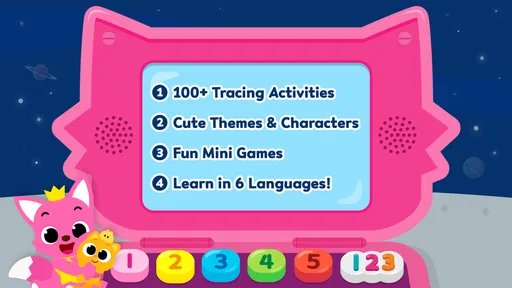
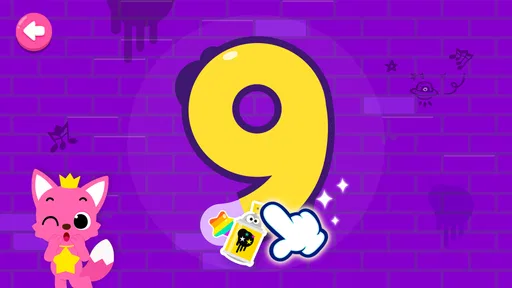
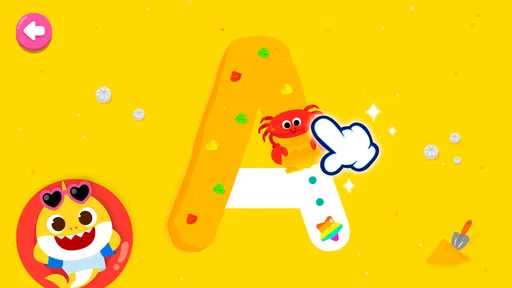
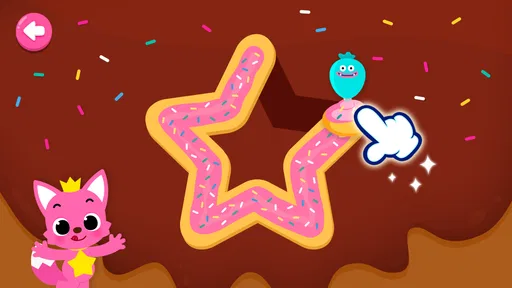
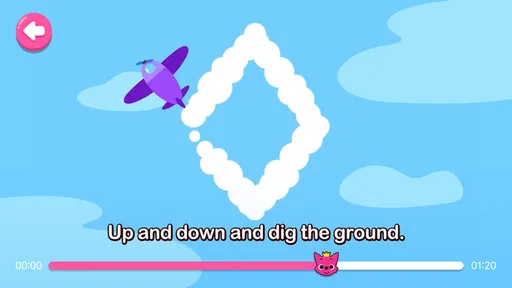
Each letter in the alphabet is presented as a fun, interactive challenge. Kids are encouraged to trace the letters with their fingers, which helps them develop fine motor skills while also reinforcing letter recognition. The app provides gentle guidance with dotted lines and arrows, making it easy for children to follow along without getting frustrated. Plus, every successful trace is met with cheers and rewards, adding that extra sprinkle of motivation.
Variety of Activities
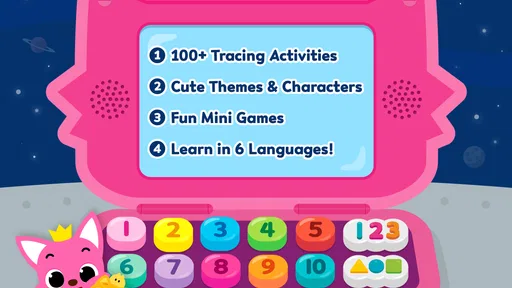
What I love about this app is the variety of activities it offers. It's not just about tracing letters; there are mini-games and songs that further enhance the learning experience. For example, each letter is associated with a catchy tune that helps reinforce its sound and shape. Kids can dance along to the melodies, making the learning process both dynamic and enjoyable.
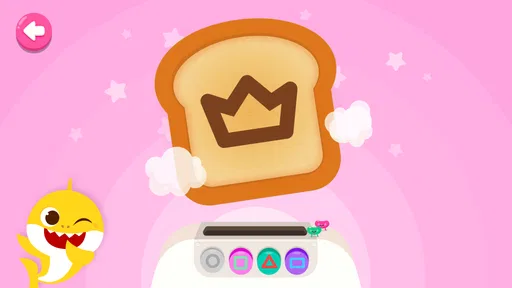
Beyond tracing and songs, the app includes puzzles and matching games that help children associate words with the letters they are learning. This multi-sensory approach ensures that kids remain engaged and are learning in multiple ways, which is crucial for retaining information at a young age.
User-Friendly Design
The interface is intuitive, designed with kids in mind. Even if your child isn’t tech-savvy, they’ll find navigating the app to be a breeze. Parents will appreciate the simplicity too, as you won’t need to hover over your child’s shoulder to guide them through the app. It’s pretty much a plug-and-play experience.
One feature that stands out is the parental control settings. As a parent, you can monitor and manage screen time, ensuring your child is learning in a balanced way. The app doesn't bombard you with ads or in-app purchases, which is a refreshing change from many other educational apps out there.
Why It Stands Out
One might wonder, with so many educational apps available, what makes this game special? For me, it's the combination of entertainment and education. The app doesn't just teach; it entertains, making learning a joyous activity rather than a chore. The inclusion of familiar Pinkfong characters also adds a sense of continuity for kids who are already fans of their popular songs and stories.
Furthermore, the app is designed to adapt to each child's pace. The difficulty adjusts as your child progresses, ensuring they are always challenged but not overwhelmed. This personalized learning experience is a huge plus.
What to expect from a first session
In practical terms, I’d begin by sitting with the child and letting them try a single tracing activity before explaining much. That reveals whether the prompts make sense to them and whether they are comfortable dragging a finger along a path. If they need help, I’d demonstrate once, then let them take over; repeated adult correction can make a playful task feel like a lesson they are getting wrong.
Tracing on glass is not exactly the same as writing on paper. A child may use a whole arm, press differently, or move a finger in a way that would not transfer directly to pencil control. I’d therefore judge progress by growing familiarity with letter shapes and willingness to try, not by expecting neat handwriting after a few rounds. When the child is ready, a crayon and a large letter drawn together offer a useful contrast.
The game is made by The Pinkfong Company and is an educational game for young learners. It has a 4.1 average from around 4.3 thousand ratings, and more than one million installs. Those figures suggest it has found an audience, but I would still base the decision on the child’s response: some children enjoy animated encouragement, while others focus better with simpler materials and less stimulation.
Settings and habits that make it easier to use
I would check the device’s purchase protections and decide on a screen-time boundary before the child starts, rather than interrupting an enthusiastic session to set expectations. The app is free, but optional purchases cost from $2.99 to $109.99 per item, so an adult should review the purchase flow and use the device’s available safeguards. I would not assume that an in-game setting replaces the controls provided by the phone or tablet.
A repeatable routine can also reduce aimless tapping. For instance, invite the child to trace one letter, name something that begins with it, and then stop or choose another activity. If the child is tired or impatient, use the game for recognition rather than insisting on a perfect trace. If they are engaged, alternate a screen turn with a quick paper attempt so the device remains one tool among several.
The title is rated Everyone, but suitability still depends on the child’s age, attention, motor comfort, and your family’s screen habits. I’d stay close at first, particularly to help with navigation and purchases, then decide whether the child can use it independently for short periods. A rating can describe general content suitability; it cannot tell you whether a particular child will enjoy the pace or benefit from the tracing format.
Where its approach has limits
Compared with a quiet alphabet chart or a workbook, the game offers more animation and immediate encouragement, which may help a reluctant learner get started. That same liveliness can be distracting for a child who wants to move quickly from one reward to the next. In that situation, a simple paper activity may give them more room to concentrate on the shape itself.
It is also worth separating exposure from mastery. A child may recognise a letter after seeing it repeatedly in the game without being ready to write it from memory, and a successful finger trace does not show how they will manage a pencil. I’d look for transfer: can they spot the letter in a book, say its name, or attempt it on paper? If not, there is no need to push; return to the letter later in a different setting.
The game’s current version is 33.24 and it requires Android 5.0 or later. It was released on November 25, 2015, and remains free to download, with optional purchases. For a family choosing an app, those details matter mainly as practical checks: confirm that the device meets the Android requirement, and decide whether the purchase options fit your household’s rules before a child plays.
Why It Stands Out
One might wonder, with so many educational apps available, what makes this game special? For me, it's the combination of entertainment and education. The app doesn't just teach; it entertains, making learning a joyous activity rather than a chore. The inclusion of familiar Pinkfong characters also adds a sense of continuity for kids who are already fans of their popular songs and stories.
Furthermore, the app is designed to adapt to each child's pace. The difficulty adjusts as your child progresses, ensuring they are always challenged but not overwhelmed. This personalized learning experience is a huge plus.
Final Thoughts
In a world where digital learning is becoming increasingly important, this game stands out as a lively educational tool for preschoolers. It's entertaining, easy to use, and most importantly, effective in teaching the basics of the English alphabet. Whether you're looking to supplement your child's schooling or just want a fun educational app to keep them occupied, this one is definitely worth checking out.
My recommendation is to use it as a short, shared practice option rather than a substitute for books, conversation, or pencil-and-paper work. It is a good fit for a child who responds to guided tracing and cheerful feedback; it is not the best choice if your priority is quiet handwriting drills or an app with no purchase decisions to manage. Try a brief session, watch how your child handles the prompts, and let that guide whether it earns a place in your routine.
Pros
- Engaging animations keep children entertained.
- Interactive tracing helps improve motor skills.
- Colorful graphics make learning fun.
- Wide variety of letters and numbers to trace.
- Child-friendly interface is easy to navigate.
Cons
- Limited content in free version.
- Requires internet for some features.
- Ads may disrupt the learning experience.
- Subscription can be pricey for some.
- Audio may be repetitive over time.
FAQs for Pinkfong Tracing World : ABC
What age group is Pinkfong Tracing World: ABC suitable for?
Pinkfong Tracing World: ABC is designed for children aged 3 to 8 years old. It offers engaging and interactive activities that help young learners develop foundational skills in reading and writing. The app’s colorful and friendly interface is tailored to capture the attention of preschoolers and early grade school students.
Does Pinkfong Tracing World: ABC require an internet connection?
While some features of Pinkfong Tracing World: ABC can be accessed offline, an internet connection is required for initial setup and downloading additional content. This allows for a seamless experience with updates and new activities. However, the app is designed to offer a substantial amount of content that can be enjoyed offline once downloaded.
Are there any in-app purchases in Pinkfong Tracing World: ABC?
Yes, Pinkfong Tracing World: ABC offers in-app purchases. These can include additional content, such as new tracing activities or themed packs. Parents should be aware of this to ensure they manage their device settings accordingly, especially if their child is using the app independently.
Is Pinkfong Tracing World: ABC available on both Android and iOS platforms?
Yes, Pinkfong Tracing World: ABC is available for download on both Android and iOS devices. This ensures that a wide range of users can access the app, regardless of their device preference, providing flexibility and convenience for parents and children alike.
What skills does Pinkfong Tracing World: ABC help develop in children?
Pinkfong Tracing World: ABC focuses on developing literacy skills in young children. It helps improve letter recognition, phonics, and fine motor skills through interactive tracing activities. The app also encourages cognitive development and hand-eye coordination, making it a well-rounded educational tool for early learners.


